Admin web UI
SecantusDB ships an optional local web UI — a FastAPI app served behind a pywebview window — for browsing collections, watching live metrics, managing users, tailing change streams, profiling slow queries, running maintenance, and taking backups — including point-in-time recovery — against any SecantusDB (or any MongoDB-wire-compatible) server the user already has running.
It’s dev-tool shaped, not a production console. The window connects
over loopback and gates HTTP access with a fixed local token. The one
page that talks to the outside world is the
Geo viewer, which loads its basemap tiles
from OpenStreetMap; nothing else the UI does leaves your machine.
--uri picks the target it opens against; from there the
Server page can switch targets without a restart.
Install
The UI lives behind an optional extra so it doesn’t pull a FastAPI / uvicorn / pywebview dependency closure into the base wheel:
pip install 'secantusdb[admin]'
The extra brings in fastapi, uvicorn[standard], jinja2, httpx,
pywebview, and python-multipart. Every script, stylesheet and marker
the UI uses (HTMX, Alpine, Chart.js, Leaflet) is vendored in the package
— no CDN is contacted at runtime. The Geo page’s map tiles are the sole
exception; see the note in Geo viewer.
Launch
There are three equivalent ways to start the UI; all of them invoke
the same secantus.admin.cli:main entry point.
Console script
secantus-admin --uri mongodb://127.0.0.1:27017
Module
python -m secantus.admin --uri mongodb://127.0.0.1:27017
Invoke task
From a checkout:
uv run python -m invoke admin --uri mongodb://127.0.0.1:27017
Each opens a pywebview window pointed at the local FastAPI app and
holds the process open until you close the window (or hit Ctrl-C).
CLI flags
Flag |
Default |
Notes |
|---|---|---|
|
|
Target server. Any URI a |
|
|
Local HTTP port for the FastAPI app. Bound to |
|
off |
Run headless without opening pywebview. Used in CI and tests; the same URL works in any browser. |
|
unset |
Override the auth token for this launch. |
|
|
File to read or persist the default token in. |
Headless / behind your own browser
--no-window lets you point a browser at the UI yourself — useful on
remote dev boxes:
secantus-admin --uri mongodb://127.0.0.1:27017 --port 8765 --no-window
# open http://127.0.0.1:8765/?t=<token>  in a browser
The token is printed to the launcher log. Or pass --token <fixed> so
you can bookmark a stable URL.
Security model
The UI is loopback-only and gated by a token. There is no separate admin-UI auth layer — the assumption is that anyone running the process on a machine has full local trust.
The FastAPI app binds to
127.0.0.1and refuses non-loopback bindings. Forwarding the port is up to you.Every non-
/healthz, non-/static/*request must carry the token. The middleware accepts it via?t=<token>query parameter (used on first page load), anX-Admin-Tokenheader (HTMX / fetch calls), or asecantus-admin-tokencookie set on first successful auth (HttpOnly, SameSite=Strict, scoped to/).WebSocket routes (
/ws/metrics,/ws/changes/*) accept the token via query string or cookie — browsers can’t send custom headers on the WS handshake.The token is persistent across launches by default. First launch generates a 32-byte URL-safe token and writes it to
~/.secantus/admin-token(mode0600). Subsequent launches reuse it, so a bookmarked window URL keeps working.When the target server runs with
--auth, embed the credentials in the URI:mongodb://alice:secret@127.0.0.1:27017/?authSource=admin. The UI’s pymongo client uses them like any other tool would.
Server detection & feature gating
The admin app is a plain pymongo client, so a single build can drive any
of the three MongoDB-wire servers — the SecantusDB Python server, the
SecantusDB Rust server, or a real mongod. They don’t implement
quite the same command surface: the proprietary secantusAdmin.*
maintenance / backup / PITR commands exist only on SecantusDB, and no
mongod will ever have them. Rather than let you click a button that
returns CommandNotFound, the app probes the target once at connect
(and again on every target swap) and gates its feature buttons to what
that server actually supports.
Detection reads the server’s own self-identification — no configuration, no guessing:
serverStatus.secantus.serveris"python"/"rust"on the two SecantusDB servers;buildInfo.secantusVersionis present on both (absent onmongod).
The detected server type shows as a pill next to the target badge in the
page header (SecantusDB (Python), SecantusDB (Rust), or
MongoDB <version>).
Why there is no per-server feature table
There used to be one — a hardcoded list of what the Rust server “hadn’t ported yet”. It is worth explaining why it’s gone, because the failure mode is instructive and the temptation to add one back is real.
The table went stale within days of being written. The Rust server grew
restoreArchive, oplog and TTL pruning, role grant/revoke, killOp, a
real getLog ring buffer and real slow-op profiling — and the table went
on claiming otherwise for months. The console dutifully hid all six
behind disabled buttons, on a server that implements every one of them.
That is the exact inverse of the failure this machinery exists to
prevent, and nothing surfaced it, because a hidden button raises no
error. Worse, the tests asserted the table’s values, so the suite stayed
green the whole time.
So capability knowledge is now positive-only:
SecantusDB targets start fully permissive. The two servers track each other’s command surface closely. Assuming parity and being occasionally wrong costs one honest
CommandNotFoundyou can see; assuming a gap that has since closed silently removes working functionality with no signal to anyone.A feature is withdrawn only on evidence. When a gated command actually comes back
CommandNotFound(code 59), the button disappears for the rest of the session. Negative knowledge is learned from the live server, never hardcoded, so the console cannot drift out of step with either server again. Switching targets re-probes and resets.mongodkeeps a static profile, because its negatives are definitional rather than a snapshot of a moving target: nomongodimplementssecantusAdmin.*, and the standard admin commands it does implement are stable.
An unreachable or not-yet-probed target is likewise fully permissive, so a transiently-down server never hides a working button.
What that means per target:
Feature (page) |
Wire command |
SecantusDB |
|
|---|---|---|---|
Native checkpoint backup ( |
|
offered |
— |
Native archive restore ( |
|
offered |
— |
Point-in-time recovery ( |
|
offered |
— |
Prune oplog / TTL ( |
|
offered |
— |
Edit user roles ( |
|
offered |
✅ |
Kill connection ( |
|
offered |
✅ |
Logs ( |
|
offered |
✅ |
Profiler ( |
|
offered |
✅ |
“Offered” means exactly that — the control is shown, and it disappears
only if that specific server answers CommandNotFound when you use it.
Both SecantusDB servers currently implement every row above; the column
is deliberately not split by flavour, because splitting it is how the
stale table happened.
mongodump / mongorestore backups (/backup) and every other page go
through standard wire commands and work against all three. The gate is
UI-only — a command that slips through still returns a clean error, never
a traceback.
Page tour
The sidebar lists every page. Each is a thin client over a real wire command — there’s no parallel data store, no schema-shadow inside the admin app.
Every screenshot below is generated, not hand-captured: invoke admin-screenshots boots a throwaway SecantusDB, seeds it with a
fictional shop dataset, drives each page with Playwright and writes the
PNGs into docs/screenshots/. They are regenerated on every release, so
what you see is the UI as of the version you’re reading. See
Regenerating the screenshots.
Dashboard (/)
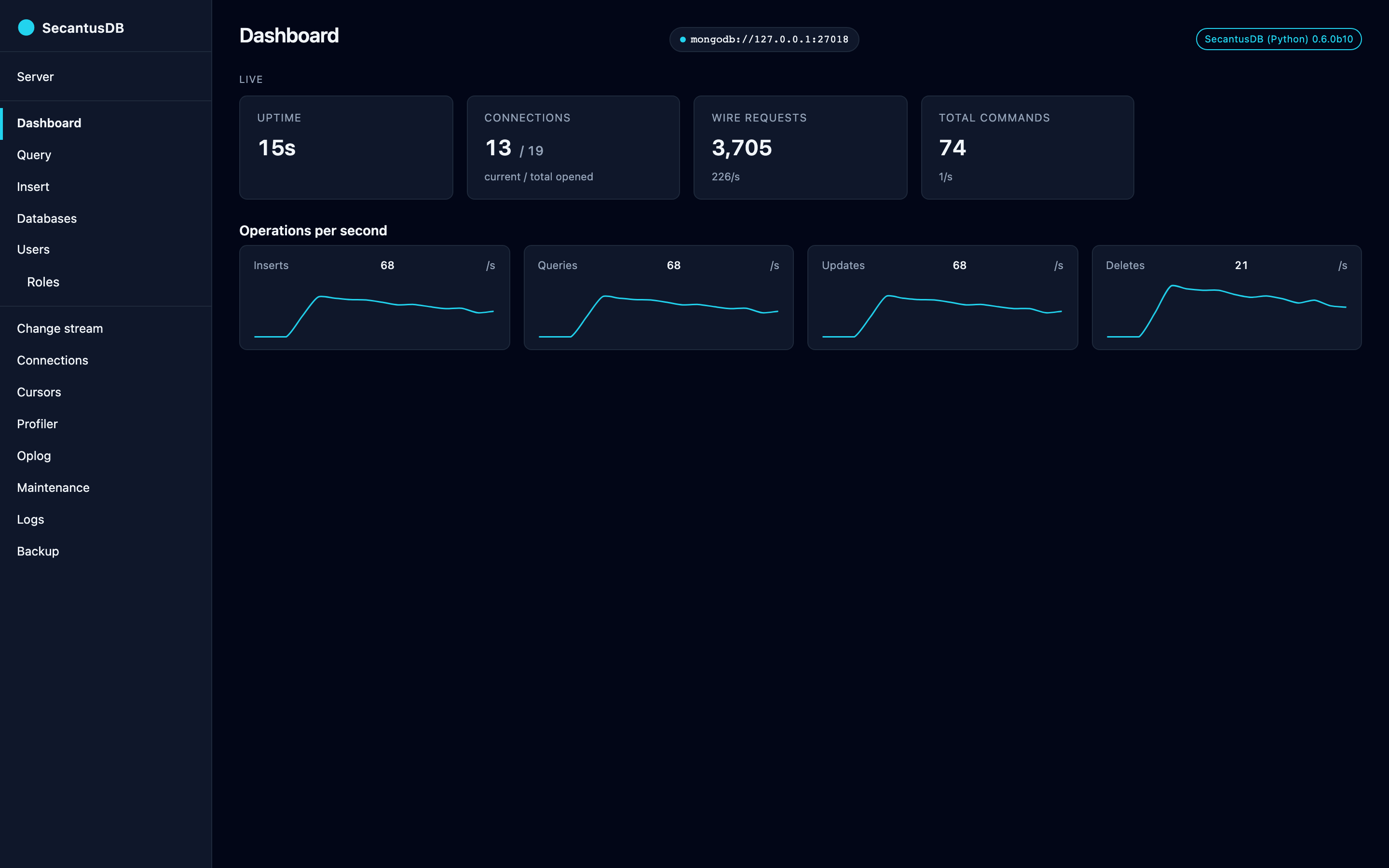
KPI tiles (uptime, current / total connections, total commands, wire
requests) plus four sparklines (insert / query / update / delete
ops/sec) driven by a 1 Hz WebSocket from /ws/metrics. The server
samples serverStatus every second, computes per-tick deltas, and
broadcasts to subscribed clients. Reconnects automatically with
exponential backoff capped at 15 seconds.
Databases & collections (/db, /db/{db}, /db/{db}/{coll})
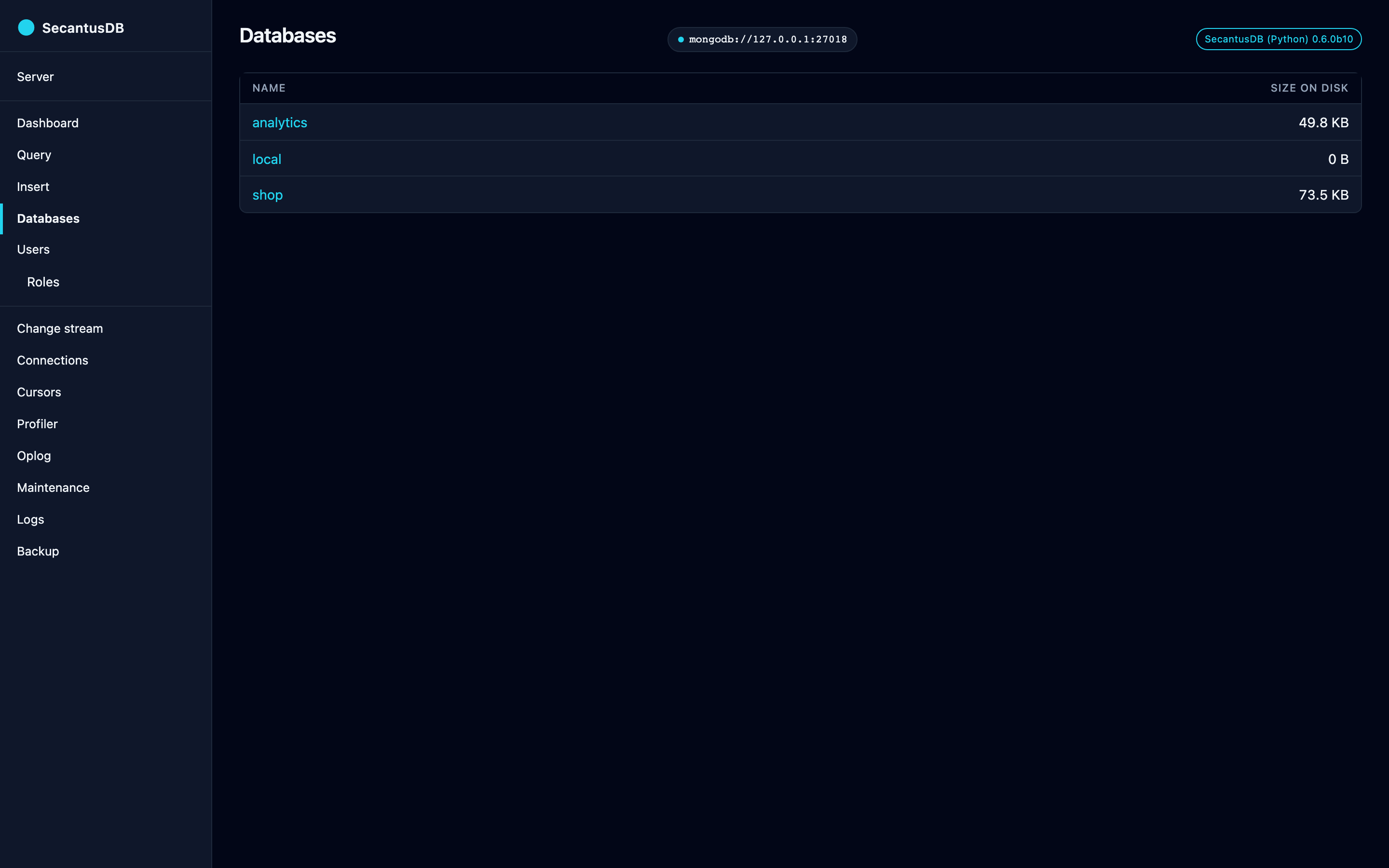
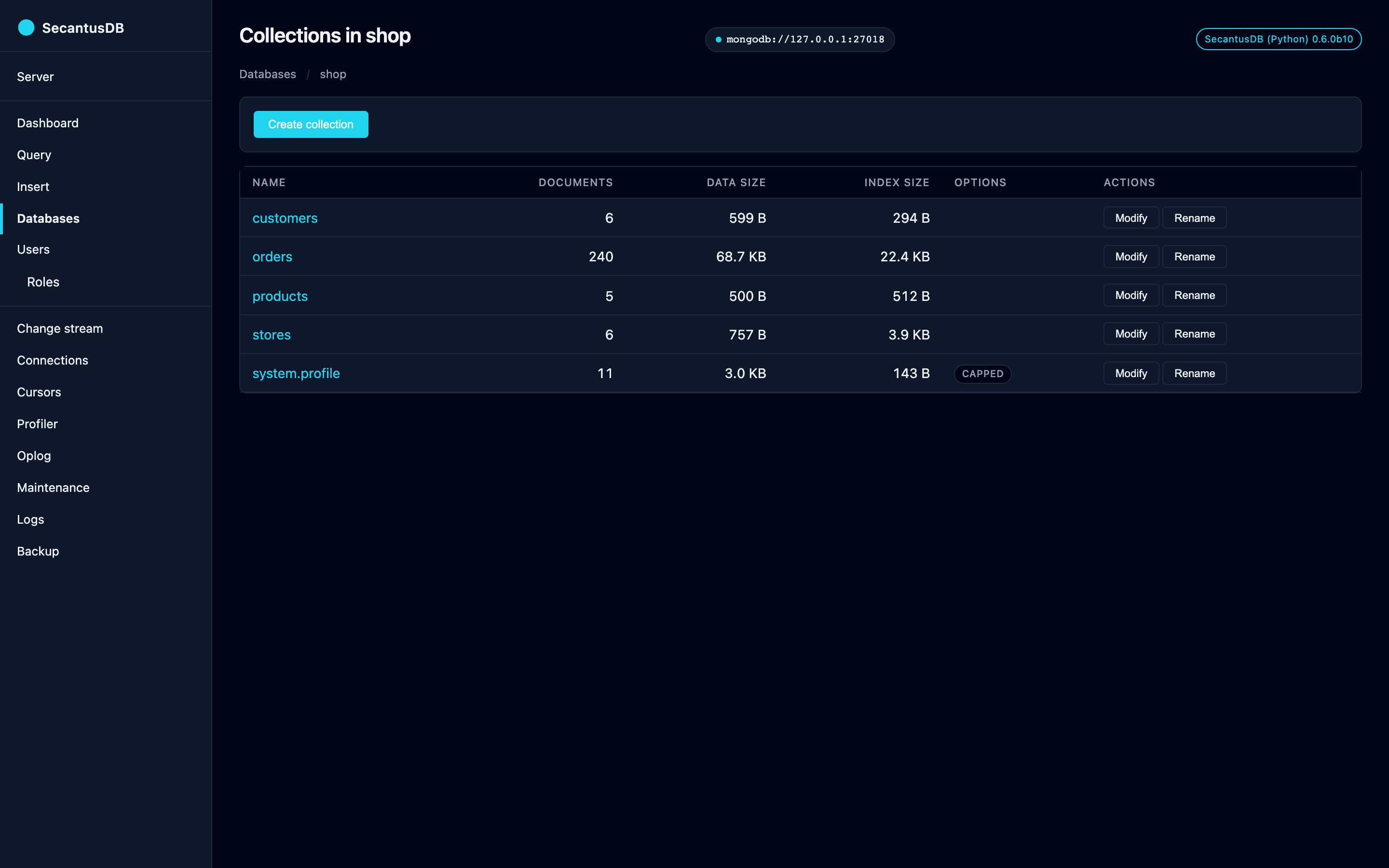
/db— table of databases vialistDatabases./db/{db}— collections in a database withcount,dataSize,indexSize, and acappedbadge for capped collections./db/{db}/{coll}— paginated document viewer. Filter is parsed viabson.json_util.loadsso Extended JSON like{"$oid": "..."}works. Sort is_idascending or descending; pagination is a stateless skip-ID cursor (_id > last_seen). Per-row Edit and Delete buttons open typed-confirmation modals — Edit replaces the whole document viareplace_one(with_idimmutability enforced server-side); Delete requires typing the collection name to confirm.
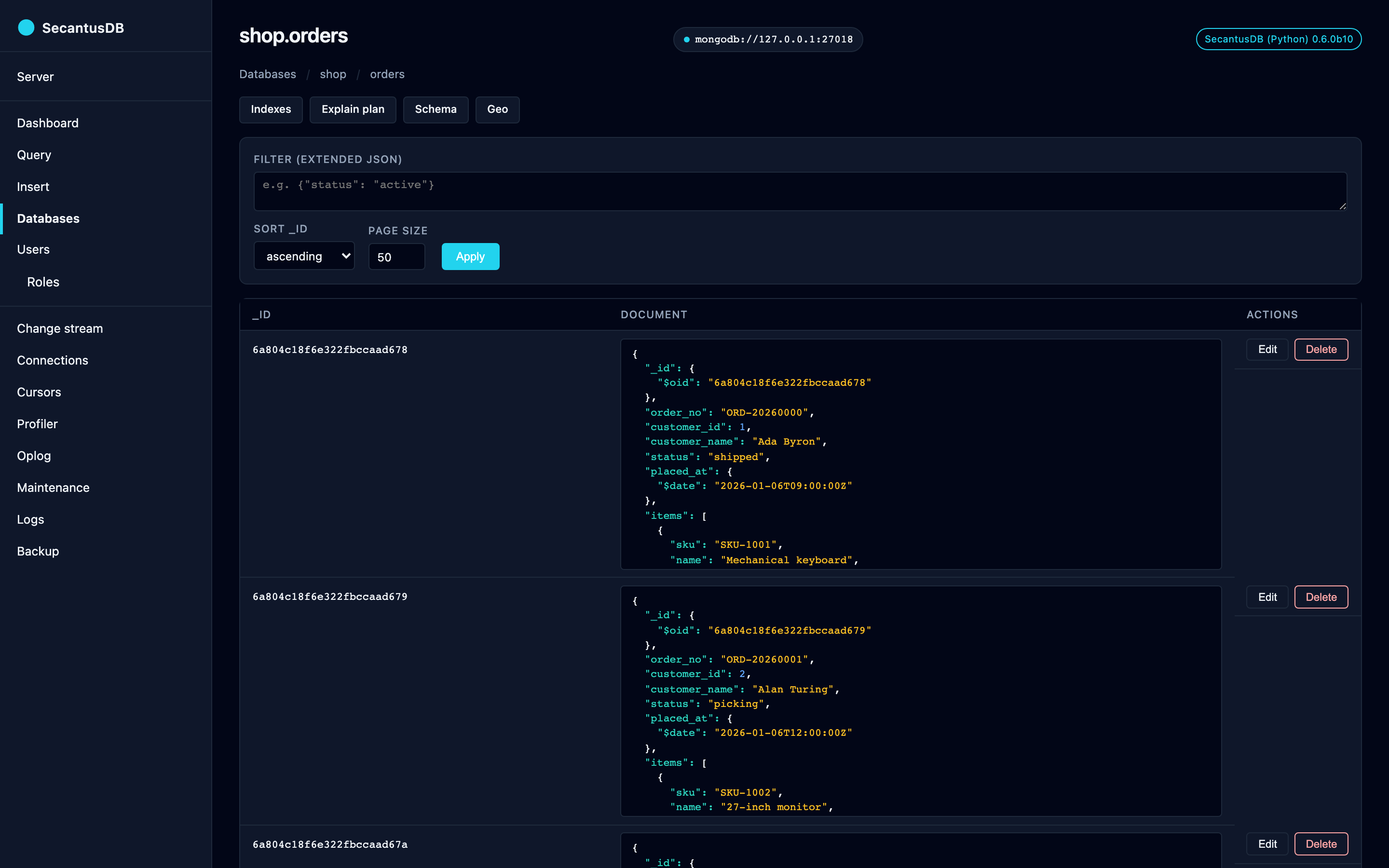
The collection viewer’s page-actions row links to four narrower inspectors: Indexes, Explain plan, Schema, and Geo.
Indexes & explain (/db/{db}/{coll}/indexes, /explain)
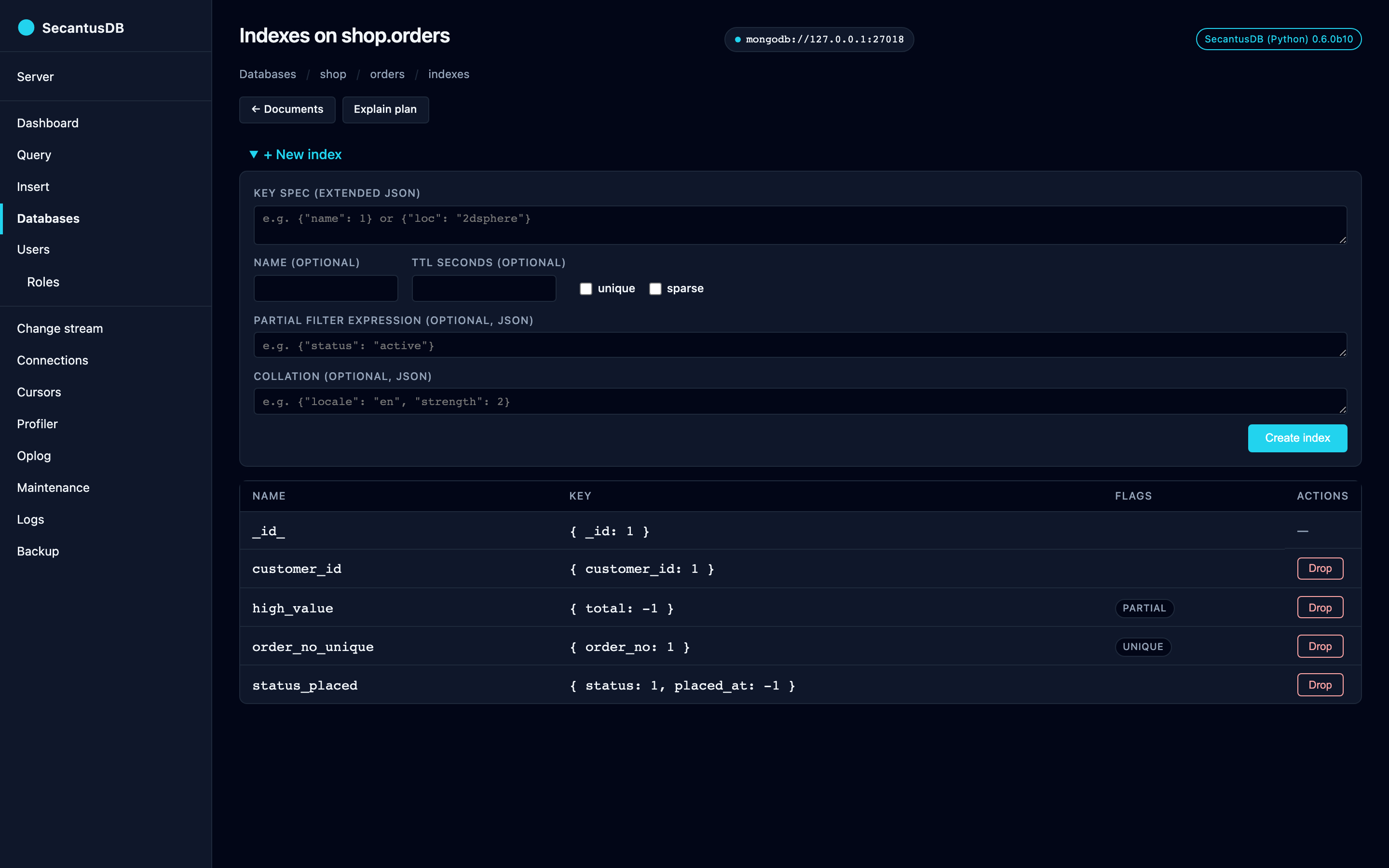
Index list with badges for
unique,sparse,multikey,partial,TTL Ns,collation <locale>/<strength>,2dsphere,2d,hashed. Create form takes a key spec (Extended JSON) plus optionalunique/sparse/ partial filter expression / TTL / collation. Collation is a JSON document and must carry alocale— e.g.{"locale": "en", "strength": 2}for case-insensitive matching; a missing locale is rejected in the form rather than producing a murkier server-side error. Drop button gated by typed-confirm; the_id_index can never be dropped.Explain visualizer renders the
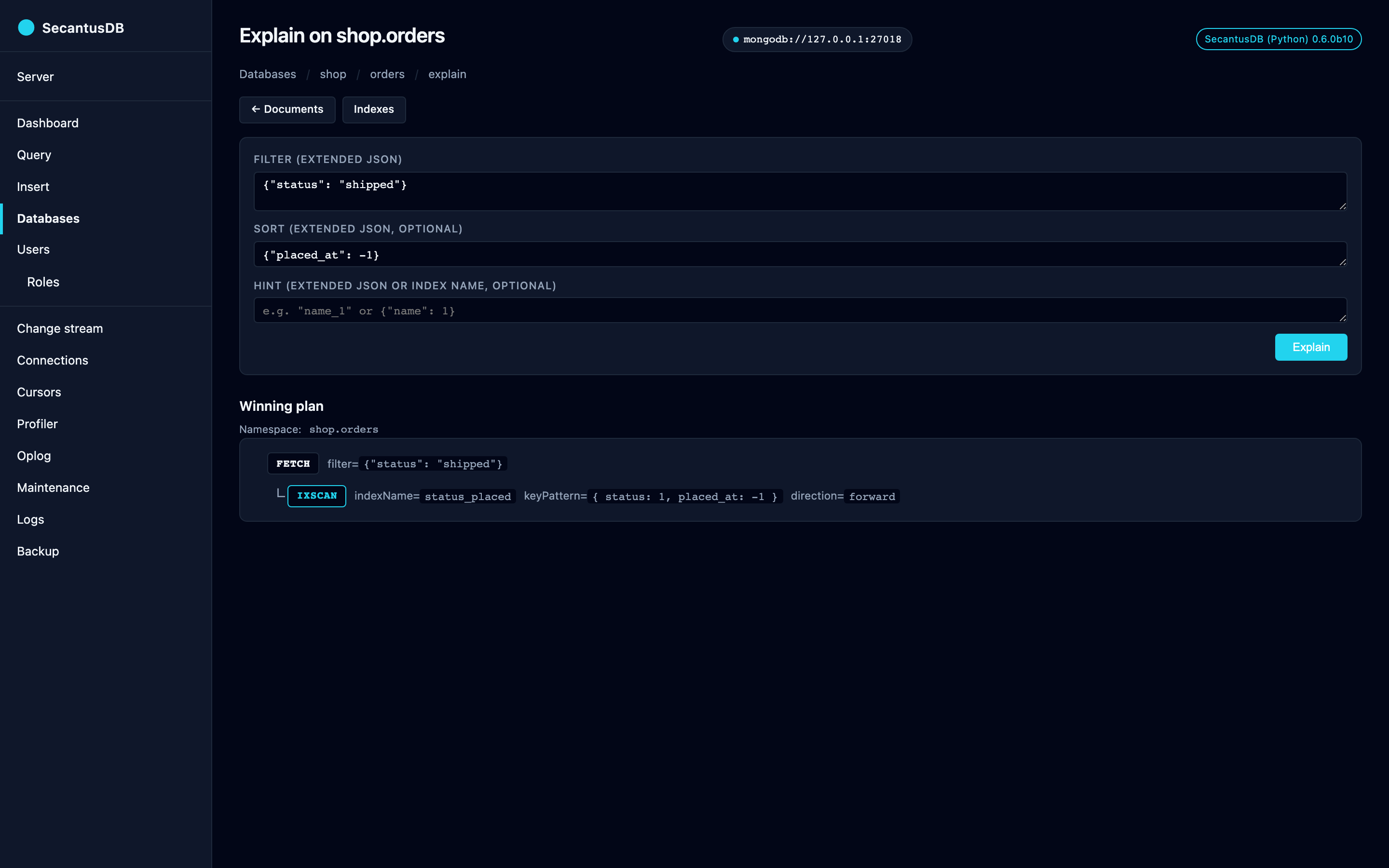
winningPlanas a depth-indented tree —FETCH > IXSCAN { indexName, keyPattern, direction }when an index covers the query,COLLSCAN(red-coded) otherwise. Multi-field sort acceleration shows up naturally as the IXSCAN row’s direction marker.
Schema sampler (/db/{db}/{coll}/schema)
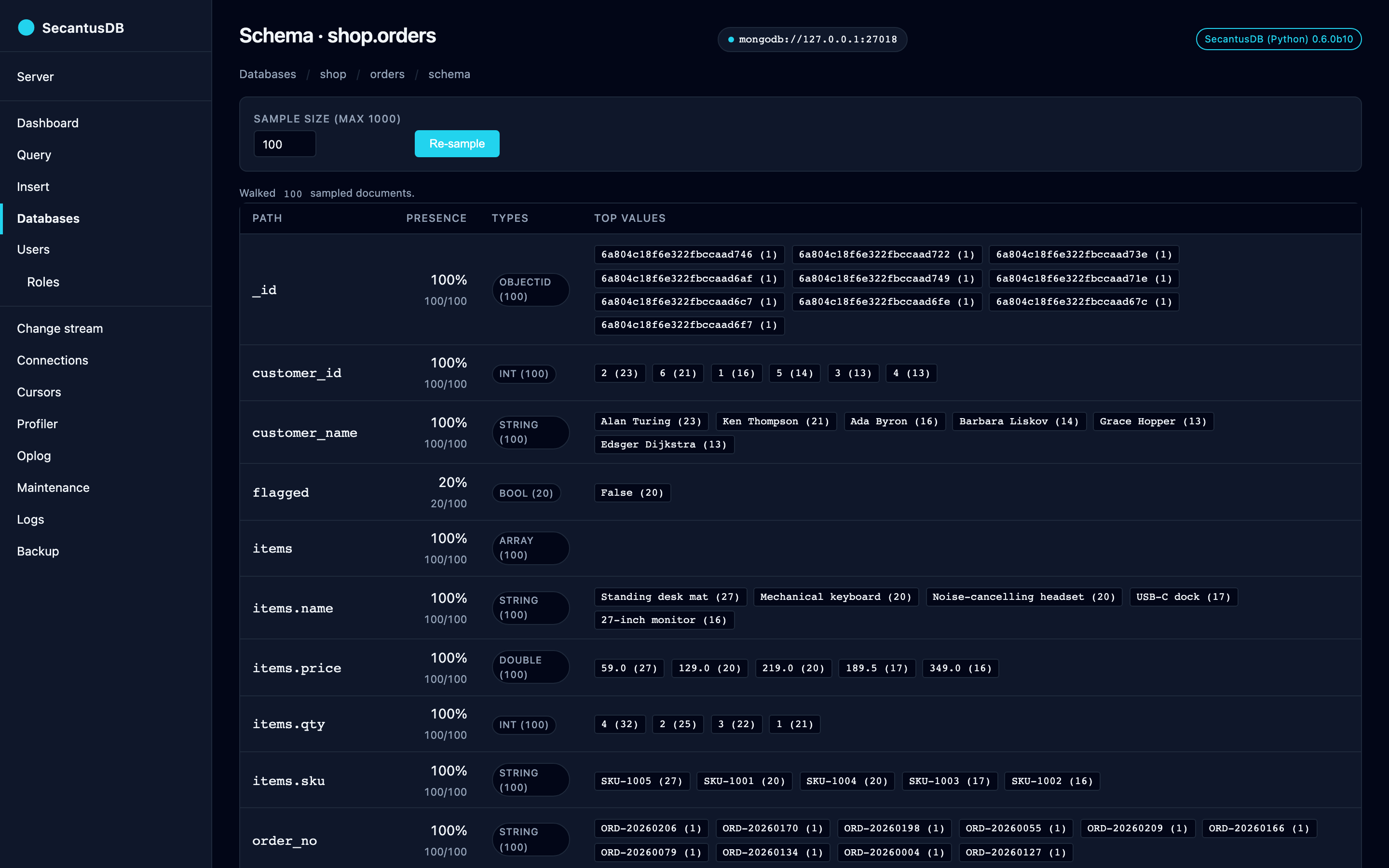
Samples up to 1000 documents via $sample, walks every dotted path
(including arrays of objects), and renders presence percentage, BSON
type histogram, and the ten most common scalar values per field. Use
this on an unfamiliar collection to size up its shape without
guessing.
Geo viewer (/db/{db}/{coll}/geo)
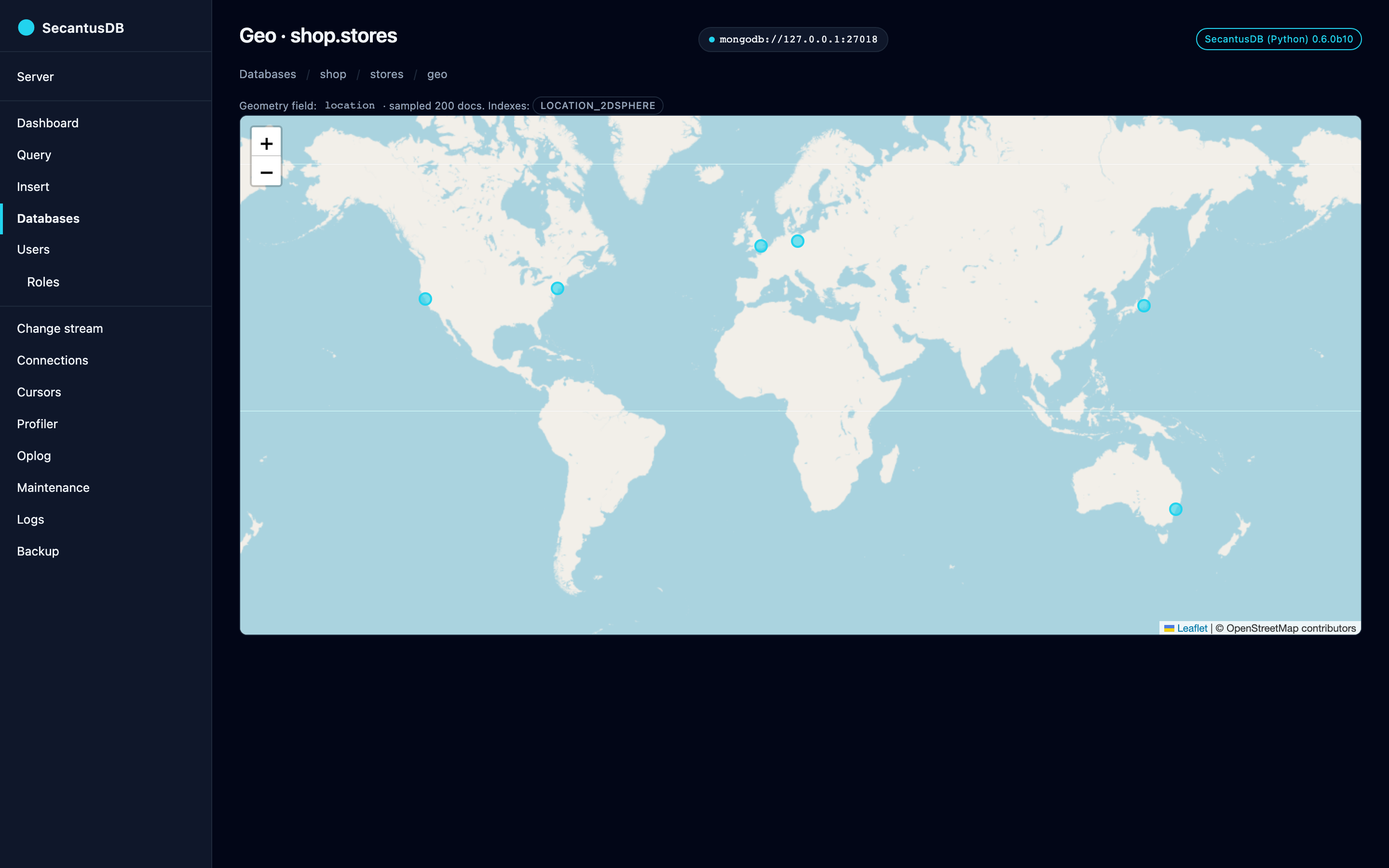
For collections with a 2dsphere or 2d index, drops the first 200
sampled documents onto a Leaflet map. GeoJSON Point / Polygon /
LineString and legacy [lng, lat] pairs are both rendered as vector
circles; _id shows in the popup. Empty-state links the user to the
indexes page when no geo index exists.
Note
This is the one page that reaches the network. The basemap tiles come
from OpenStreetMap (tile.openstreetmap.org), so opening it tells a
third party your IP and, from the tiles requested, roughly where your
data sits. Every other page — and every script, stylesheet and marker on
this one — is served from the package itself. If that trade isn’t one you
want to make, don’t open the Geo page.
Users + roles (/users, /roles)
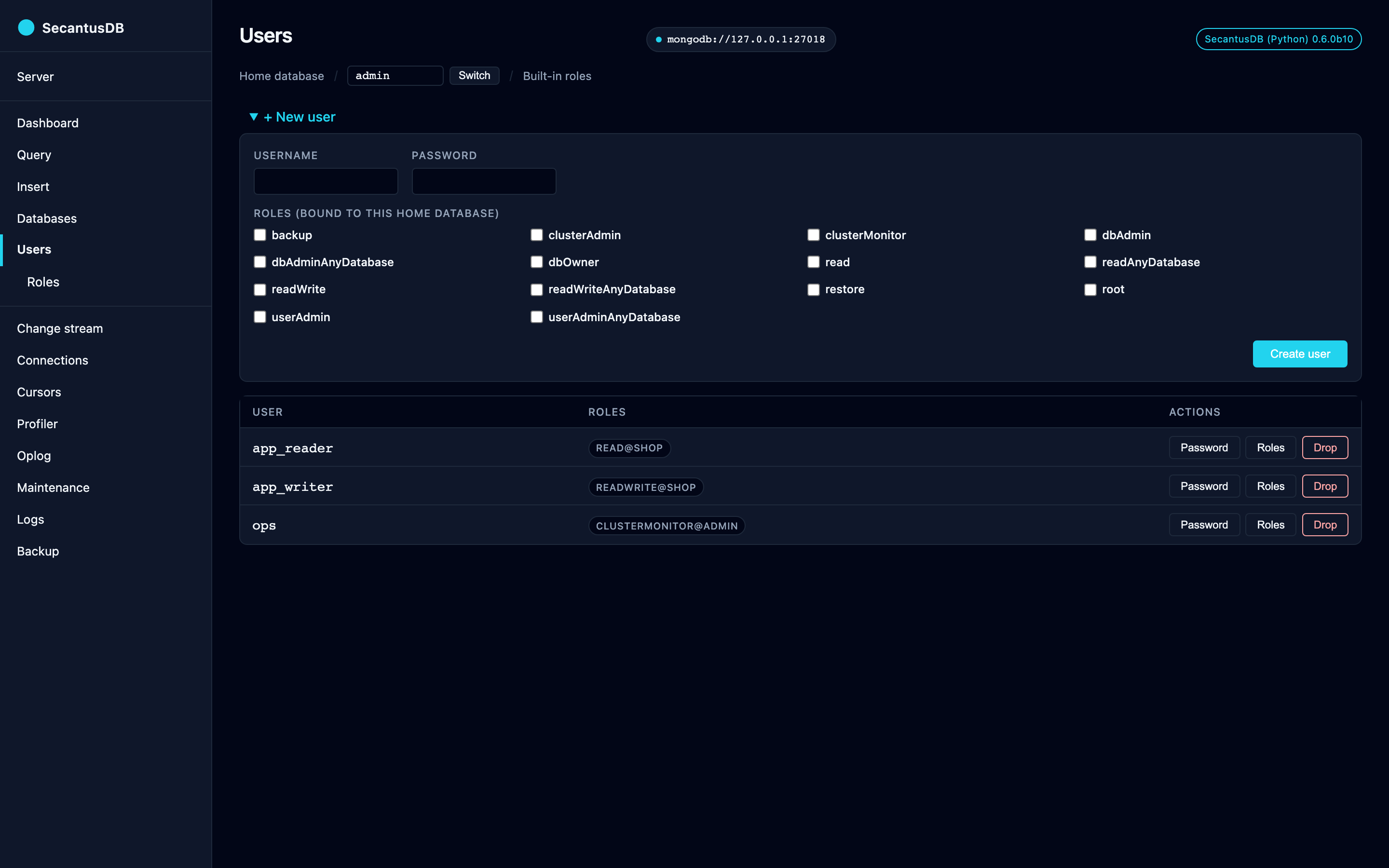
/users lists users on a “home database” (defaults to admin,
switchable via the inline picker). Per-row actions:
Password — typed-confirm modal that runs
updateUserwith the newpwd.Roles — checkbox grid of the roles bound to the current home db or
admin; submit diffs against the user’s current bindings and emitsgrantRolesToUser/revokeRolesFromUseras needed.Drop — typed-confirm modal (must type the username) that runs
dropUser.
The role list comes from the connected target, via rolesInfo with
built-in roles included, unioned with the names in
secantus.rbac.BUILT_IN_ROLES as a floor so a target that can’t answer
still renders a usable picker. That matters because the console can point
at the Rust server or a real mongod, either of which may recognise
roles this package’s own table doesn’t list — a custom role created with
createRole, most obviously. For the same reason the submitted names
aren’t filtered against the local table: the server is the authority, so
an unknown role comes back as an honest RoleNotFound rather than being
silently dropped from the request.
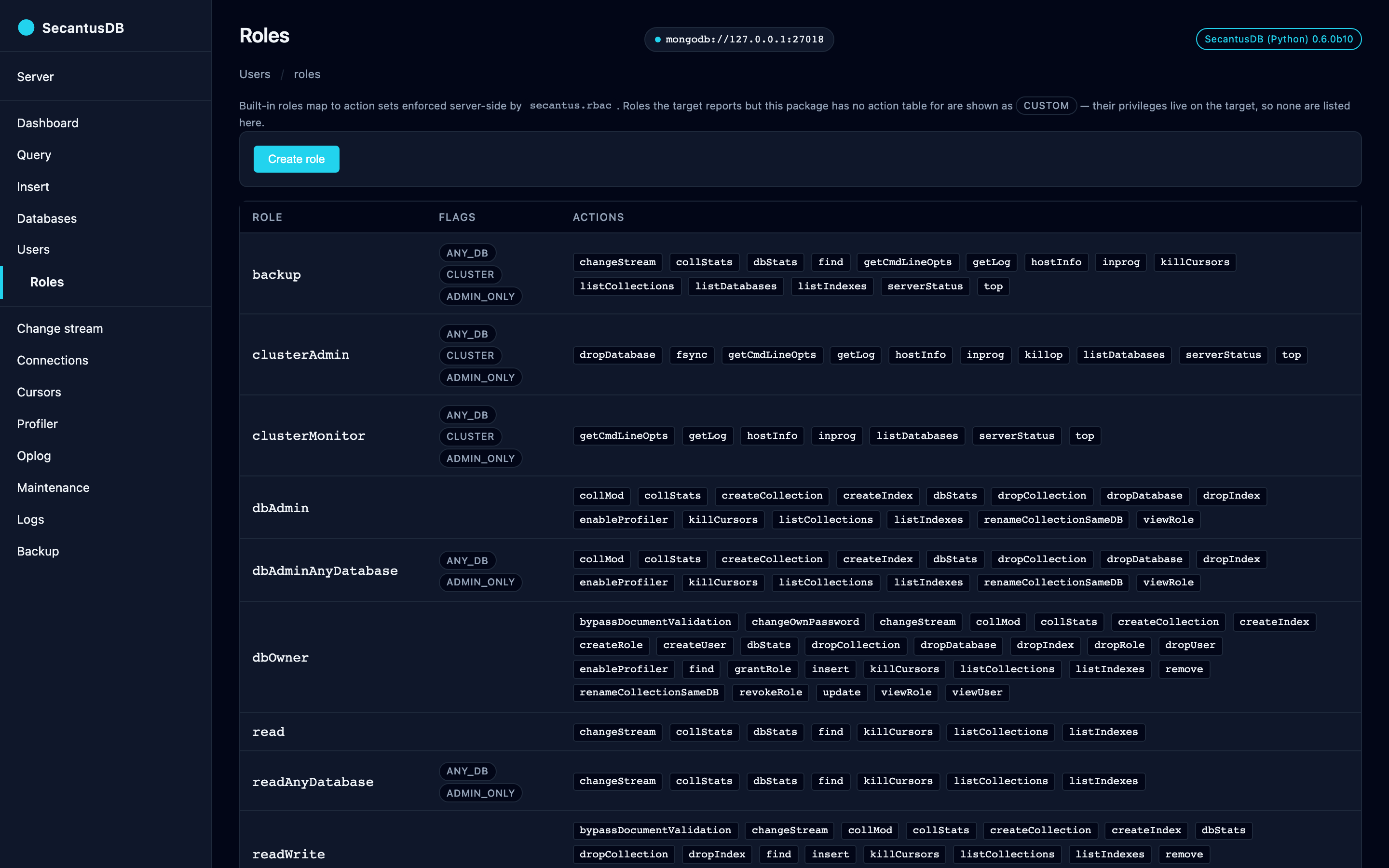
/roles shows every role’s action set as inline pills plus flag badges
(any_db, cluster, admin_only); a role the target reports but this
package has no action table for is listed with a custom badge and no
pills, rather than inventing privileges that haven’t been read. Custom
roles can be created (name, privileges, inherited roles as one
Extended-JSON document) and dropped from the page; editing an
existing role in place is still deferred — drop and re-create it.
Change-stream tail (/changestream)
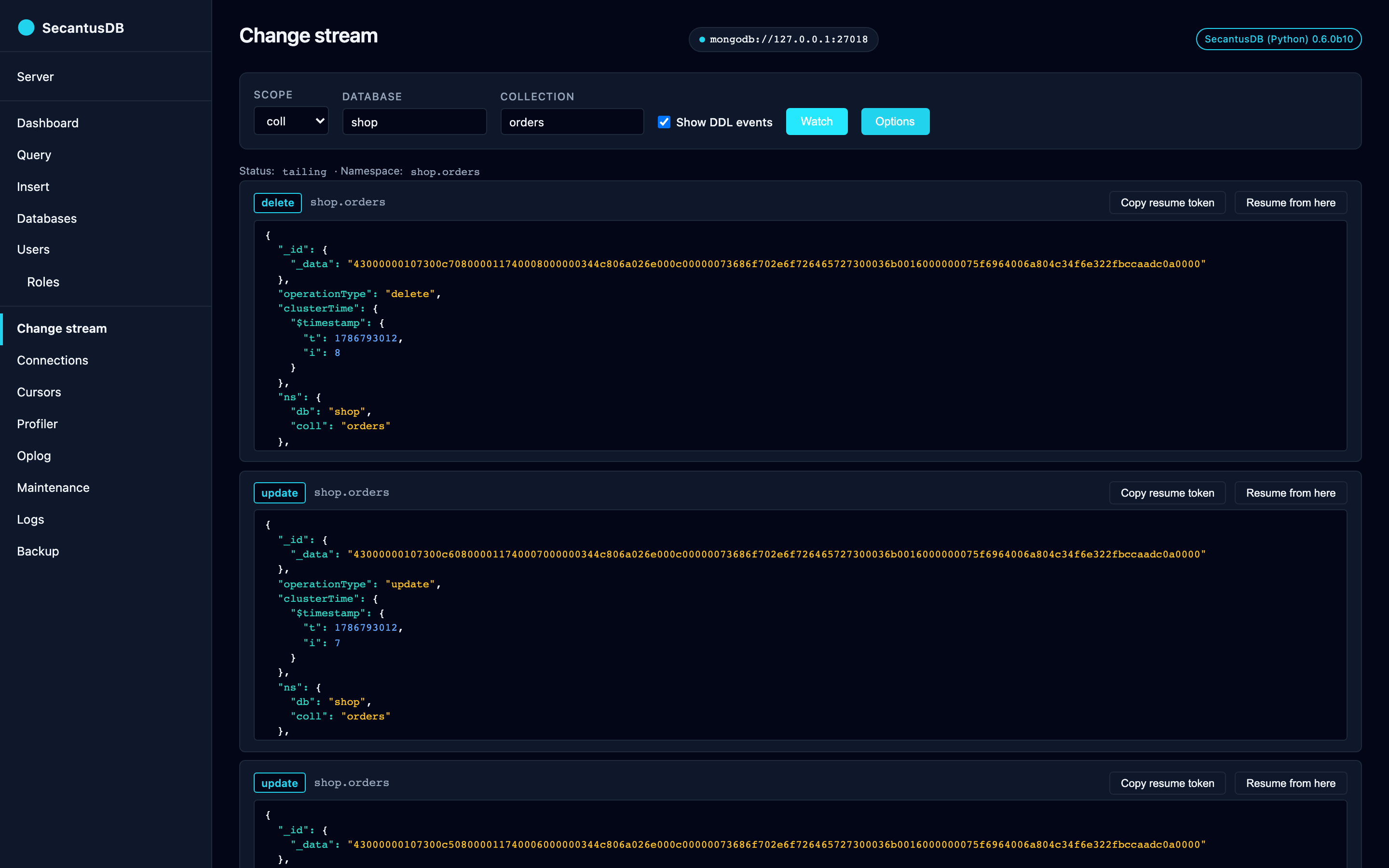
Pick a scope (cluster, db, coll), hit Watch, and a WebSocket-driven
event log fills the page. Each event renders as a card with the
operationType badge, the namespace, an Extended-JSON pre block, a
“Copy resume token” button, and a Resume from here action that
restarts the stream after that event. The watch options cover the real
debugging surface: fullDocument and fullDocumentBeforeChange
modes, all three start points (resumeAfter, startAfter,
startAtOperationTime), and a pipeline filter — all round-tripped
through the URL so a shared link reproduces the same stream. A DDL
filter toggle drops create / drop / createIndexes /
dropIndexes / rename / modify / invalidate events when off. A
rejected option is reported as a readable error frame rather than a
bare disconnect.
The bridge from pymongo’s sync ChangeStream to async runs the cursor
in a thread (asyncio.to_thread(stream.try_next)); the cursor is
closed cleanly on disconnect.
Query (/query)
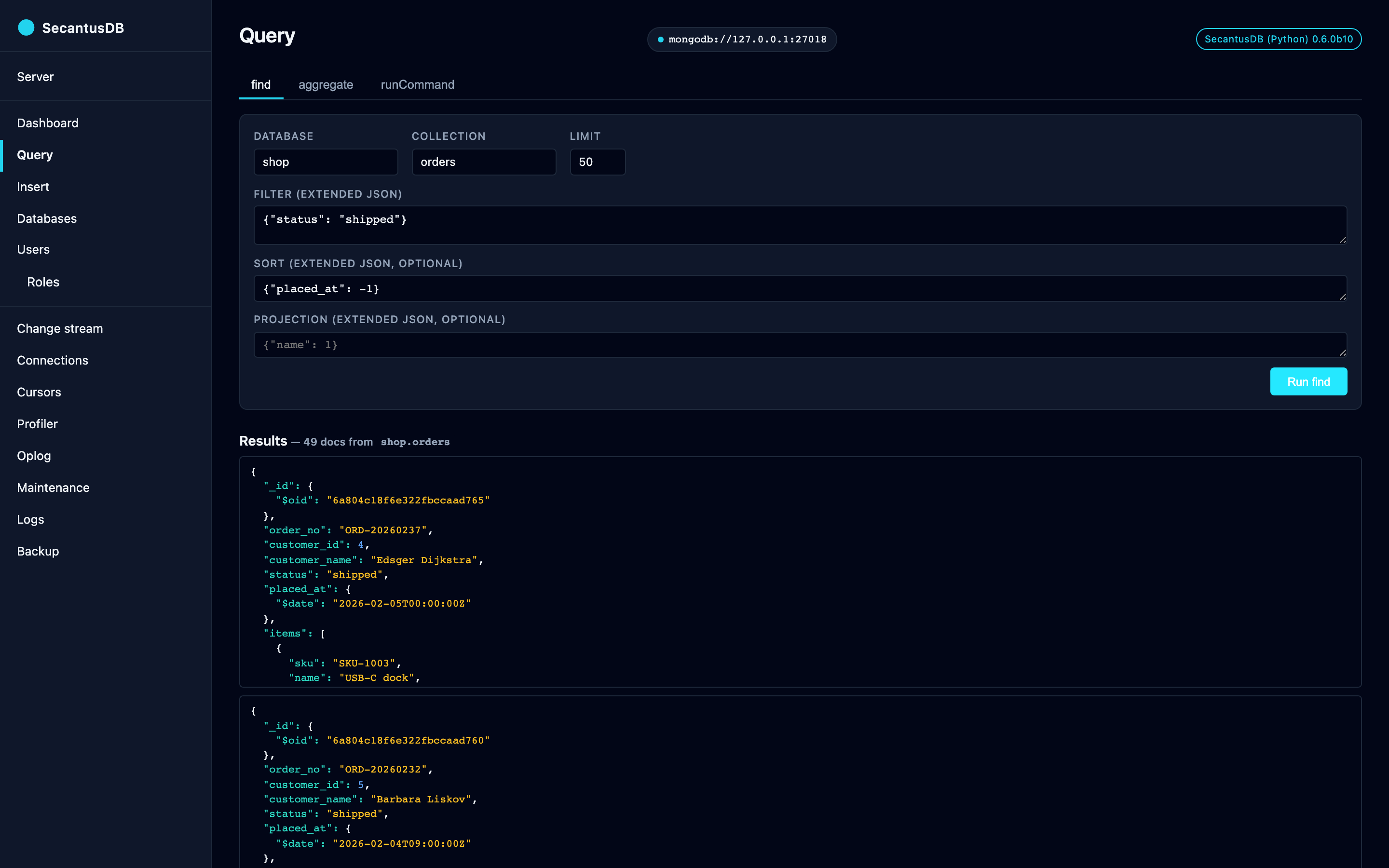
Three Alpine-toggled tabs that ride a single queryPage component
in static/js/query.js:
find — db, collection, filter / sort / projection (Extended JSON), limit clamped to ≤ 200.
aggregate — db, collection, pipeline (Extended JSON array), limit clamped to ≤ 1000.
runCommand — db, command (Extended JSON object).
Results render as Extended-JSON pre blocks. Every successful submit
is recorded in a per-URI history at ~/.secantus/admin.db (SQLite,
capped at 50 entries per URI). Click a “Recent” row to repopulate the
active form via fetch(/query/history/{id}).
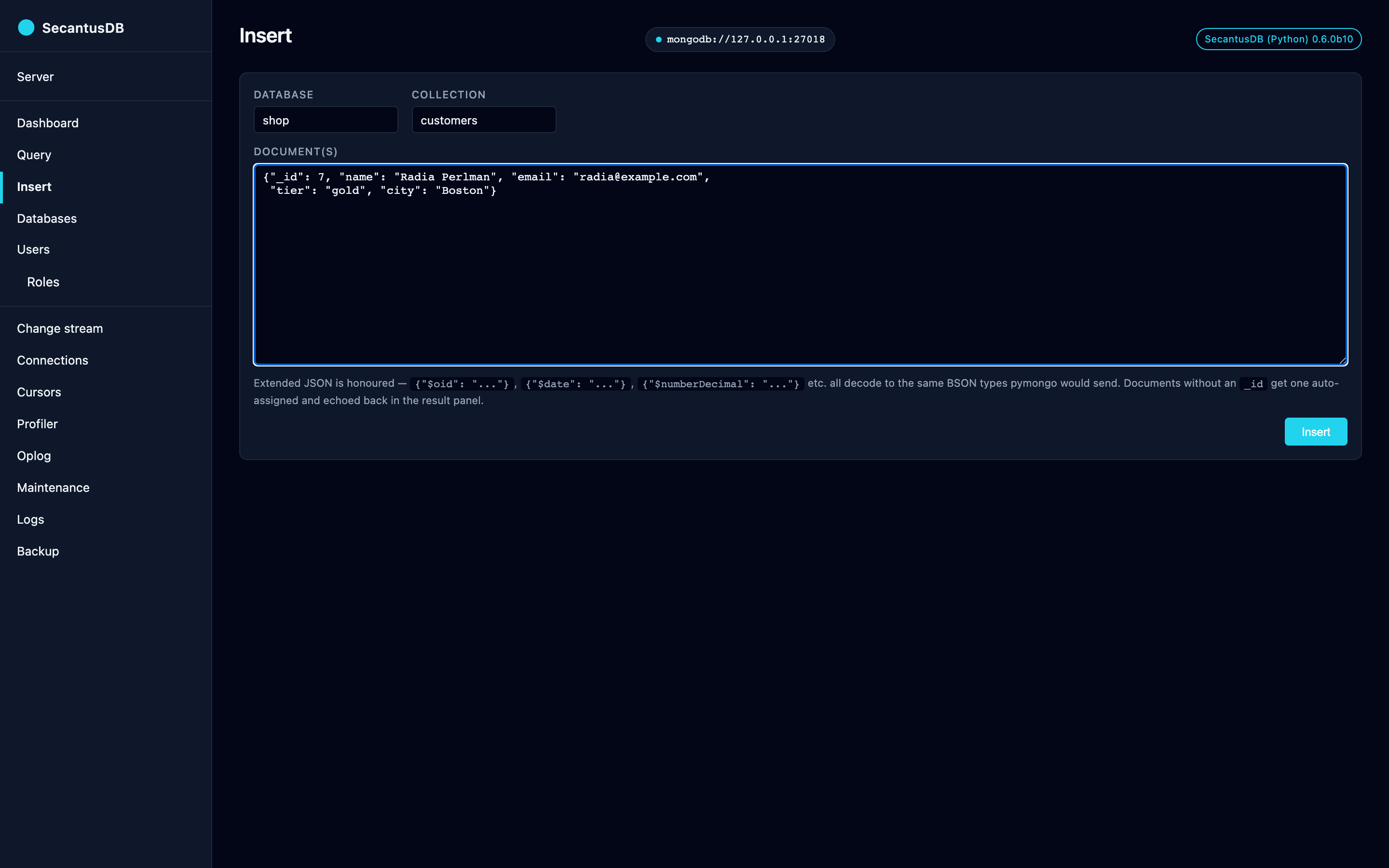
Insert (/insert)
A dedicated page for adding documents — a sibling to Query rather than a fourth tab, because the input shape (one or more documents, no filter / sort / projection) doesn’t fit the find / aggregate / runCommand mould.
db / coll — datalist-backed inputs reusing the same
listDatabases/listCollectionssources as Query.Document(s) — Extended-JSON textarea. Accepts a single object
{...}or a JSON array[{...}, {...}]; both shapes route throughinsertMany.
The response renders inline below the form with the inserted
_ids.
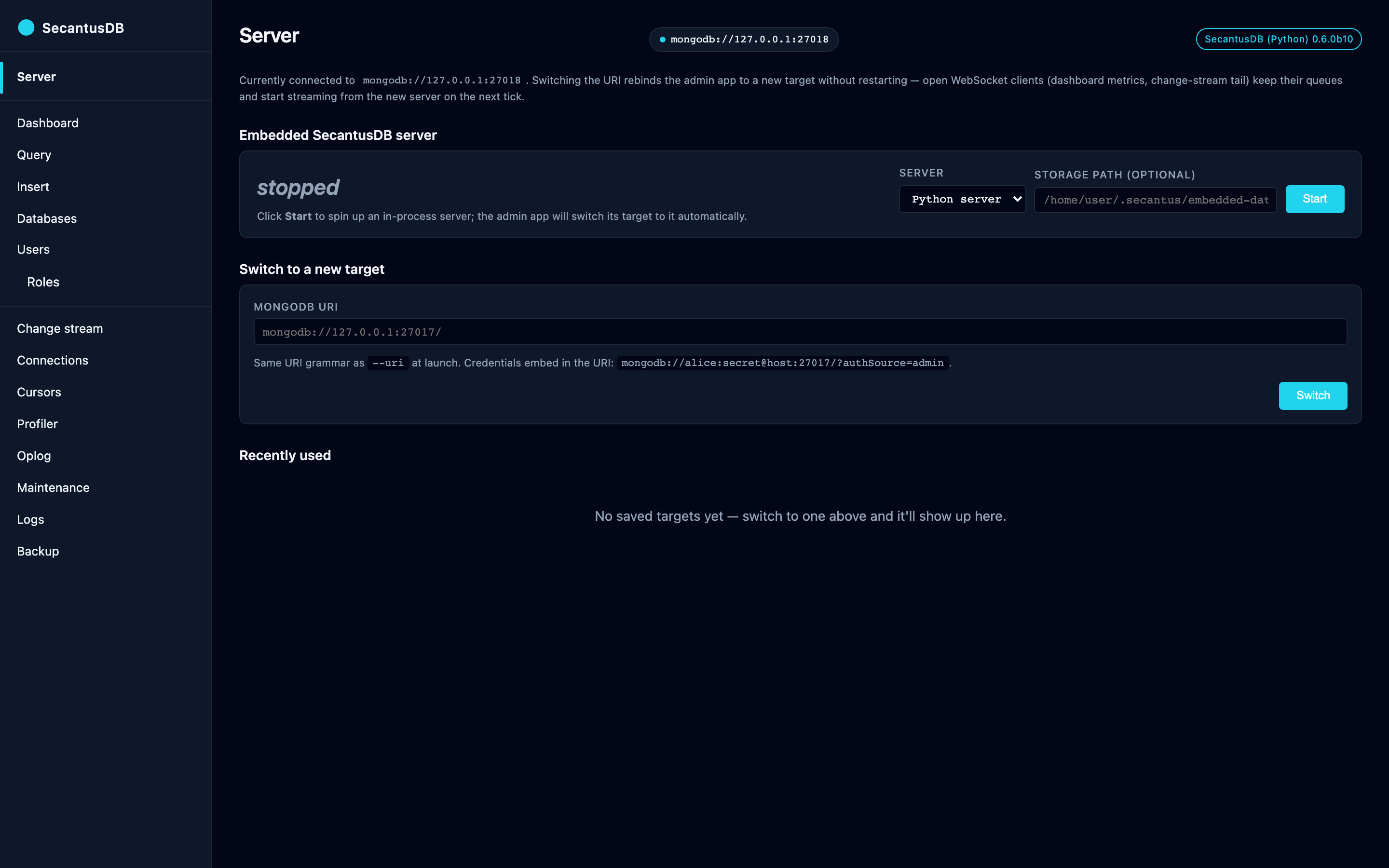
Server (/server)
Target-switching plus the embedded server’s lifecycle:
Embedded SecantusDB server — start / stop the in-process server. Optional
storage_pathselects an on-disk directory; blank defaults to a per-launch tempdir. Starting it switches the admin app’s target to the embedded URI automatically. A Server dropdown picks the flavour — Python server or Rust server — and appears only when the compiled Rust extension (_secantus_server) is installed, since a plainpip installmay not carry it. Asking for the Rust server without it says so rather than failing obscurely. The running flavour is shown next to the URI; stop the server before starting the other one.Switch to a new target — accepts any URI the CLI’s
--uriflag would accept, credentials inline. Open WebSocket clients (dashboard metrics, change-stream tail) keep their queues and start streaming from the new server on the next tick.Recently used — table of prior targets. Per-row Switch / Forget actions. The “current” target is tagged with a badge and has no actions.
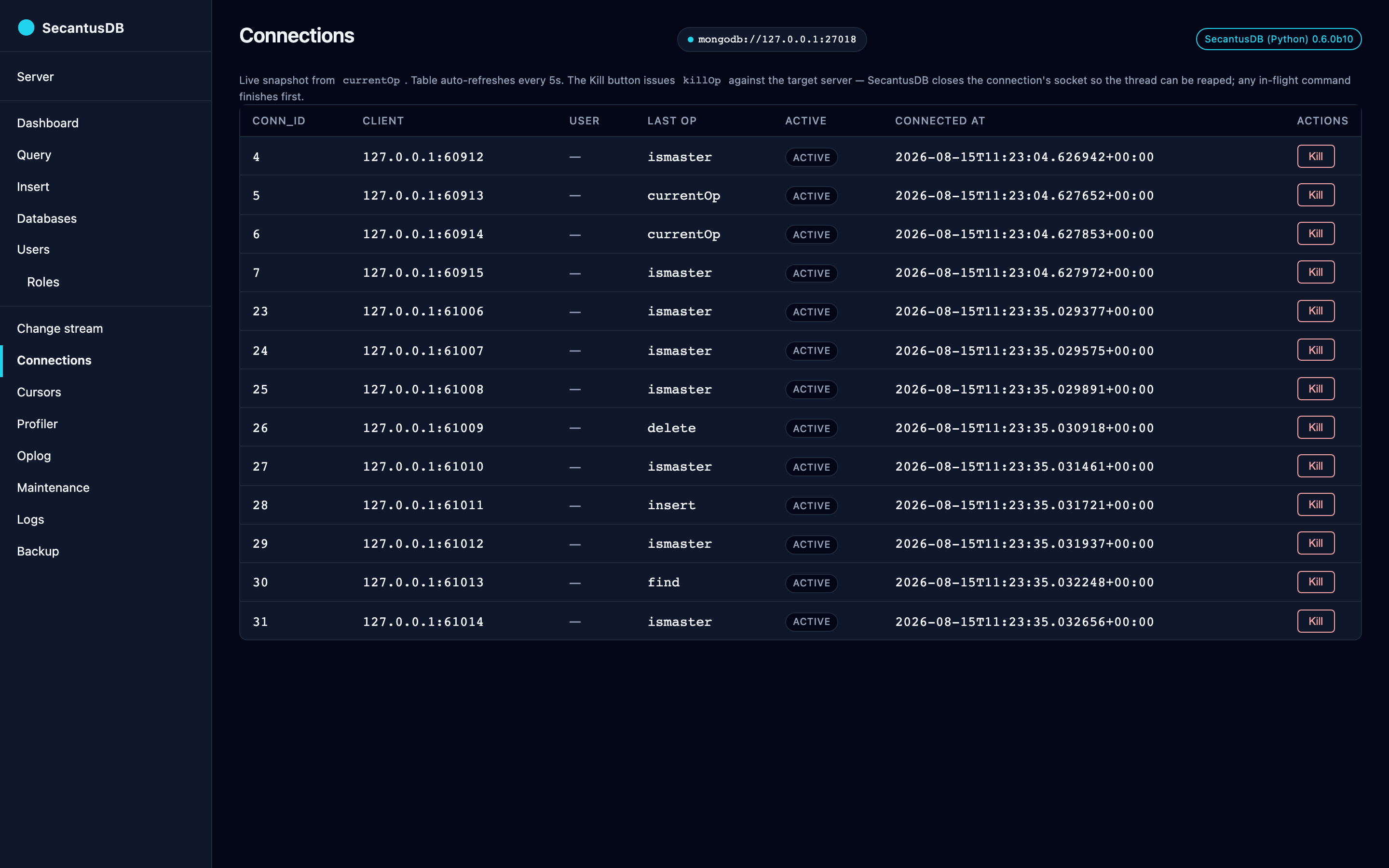
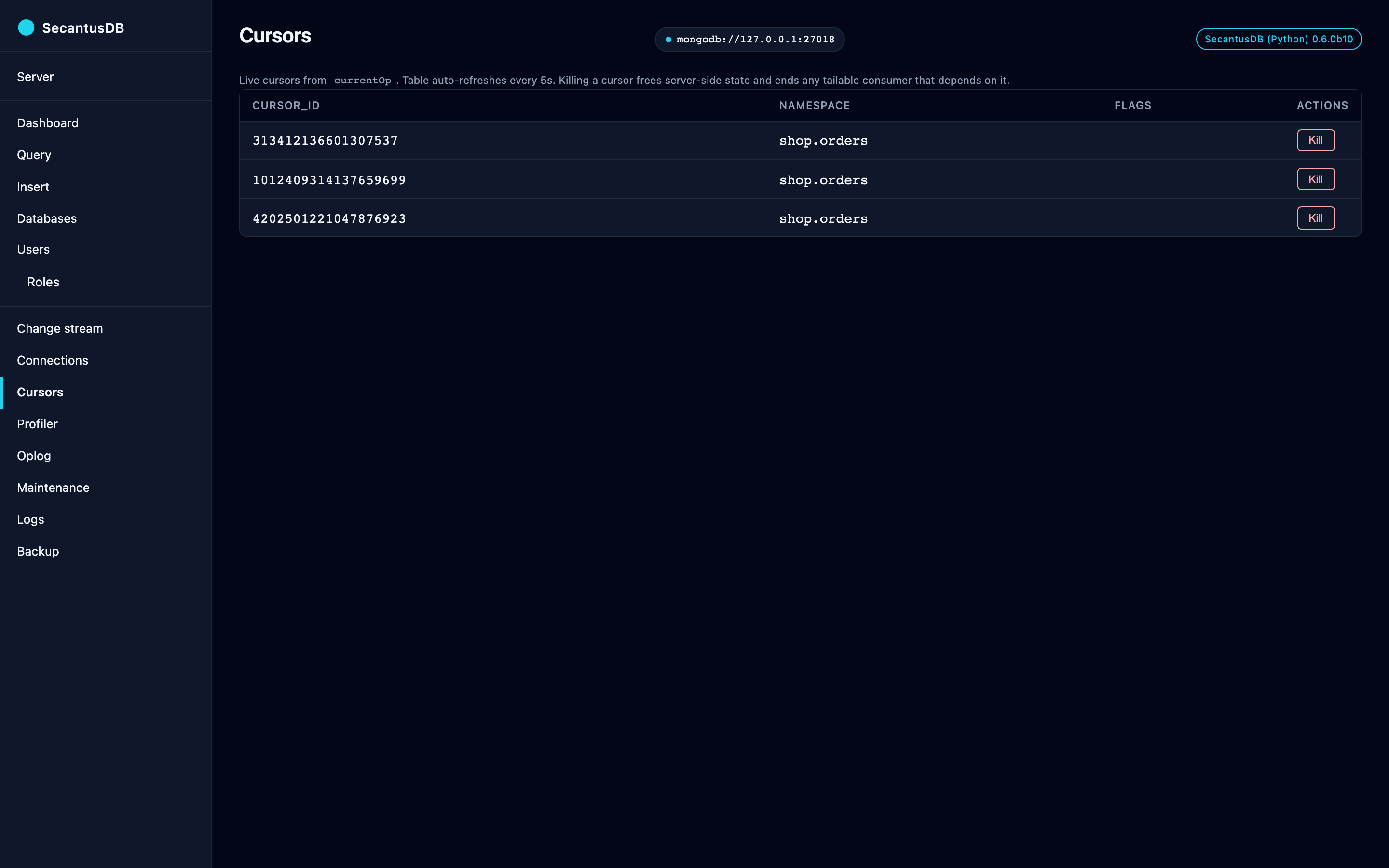
Connections + cursors (/connections, /cursors)
Both views read from currentOp’s inprog array and auto-refresh
every 5 s.
/connections— conn_id, clienthost:port, user, last op, active flag, connected_at. Per-row Kill button issueskillOpagainst the connection’sopid(one-to-one withconn_id): SecantusDB shuts the socket viashutdown(SHUT_RDWR), any in-flight command finishes, the thread exits, the row vanishes on the next refresh./cursors— live tailable / batched cursors with badges fortailableandawaitData. Per-row Kill button issueskillCursorsover the wire.
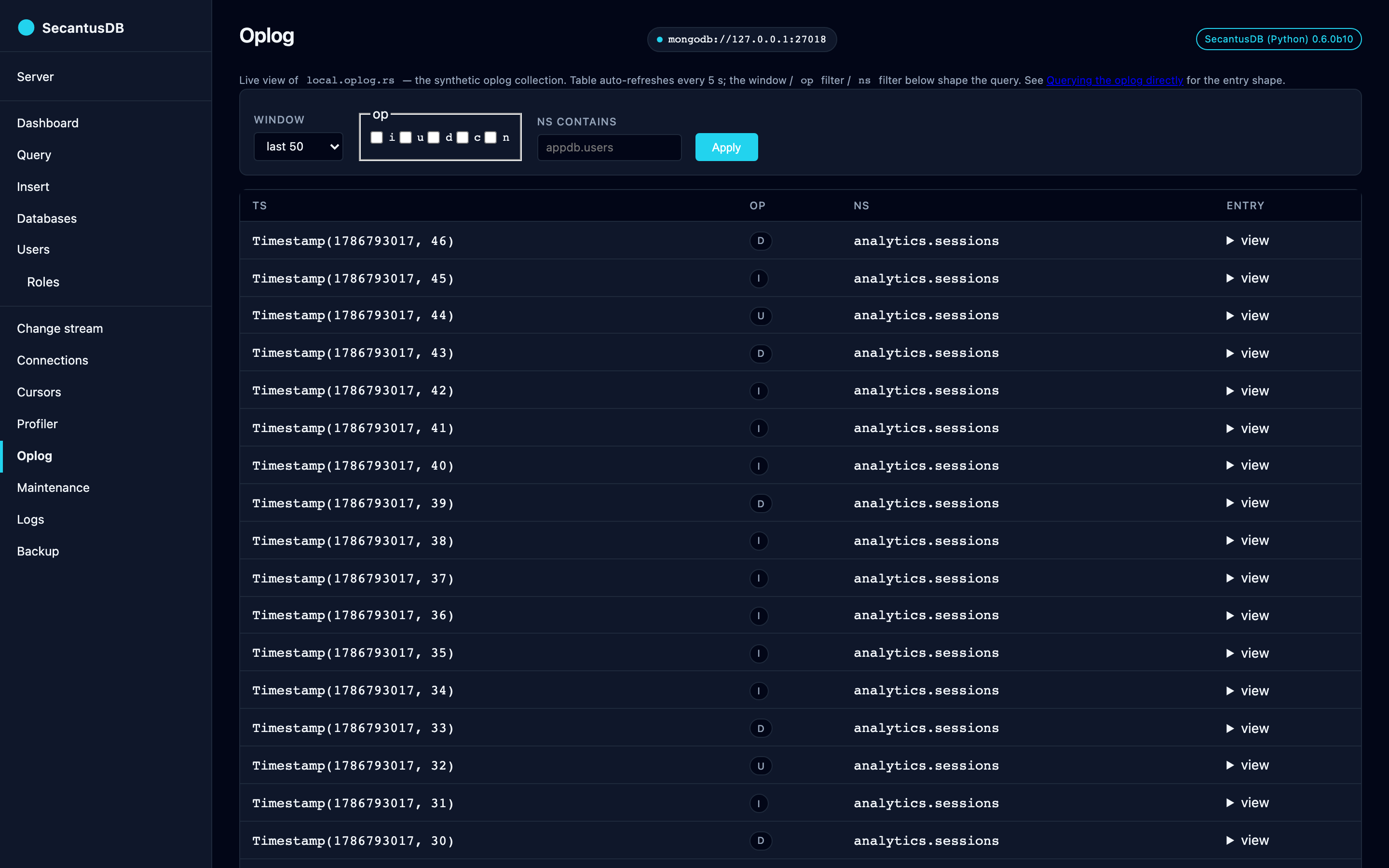
Oplog (/oplog)
Browses the synthetic local.oplog.rs
collection — paged entry viewer that auto-refreshes every 5 s. Three
filter controls:
Window — last 50 / 500 / 5000 entries (
find().sort("ts", -1).limit(N)).op — checkboxes for
i/u/d/c/n(insert / update / delete / command / noop).ns contains — substring match on the namespace (regex-escaped so dots stay literal).
Each row collapses to ts / op badge / ns by default; an inline
<details> toggle expands to the full Extended-JSON entry body
(o for the operation payload, o2 for the update predicate,
wall for the wall-clock timestamp, etc.).
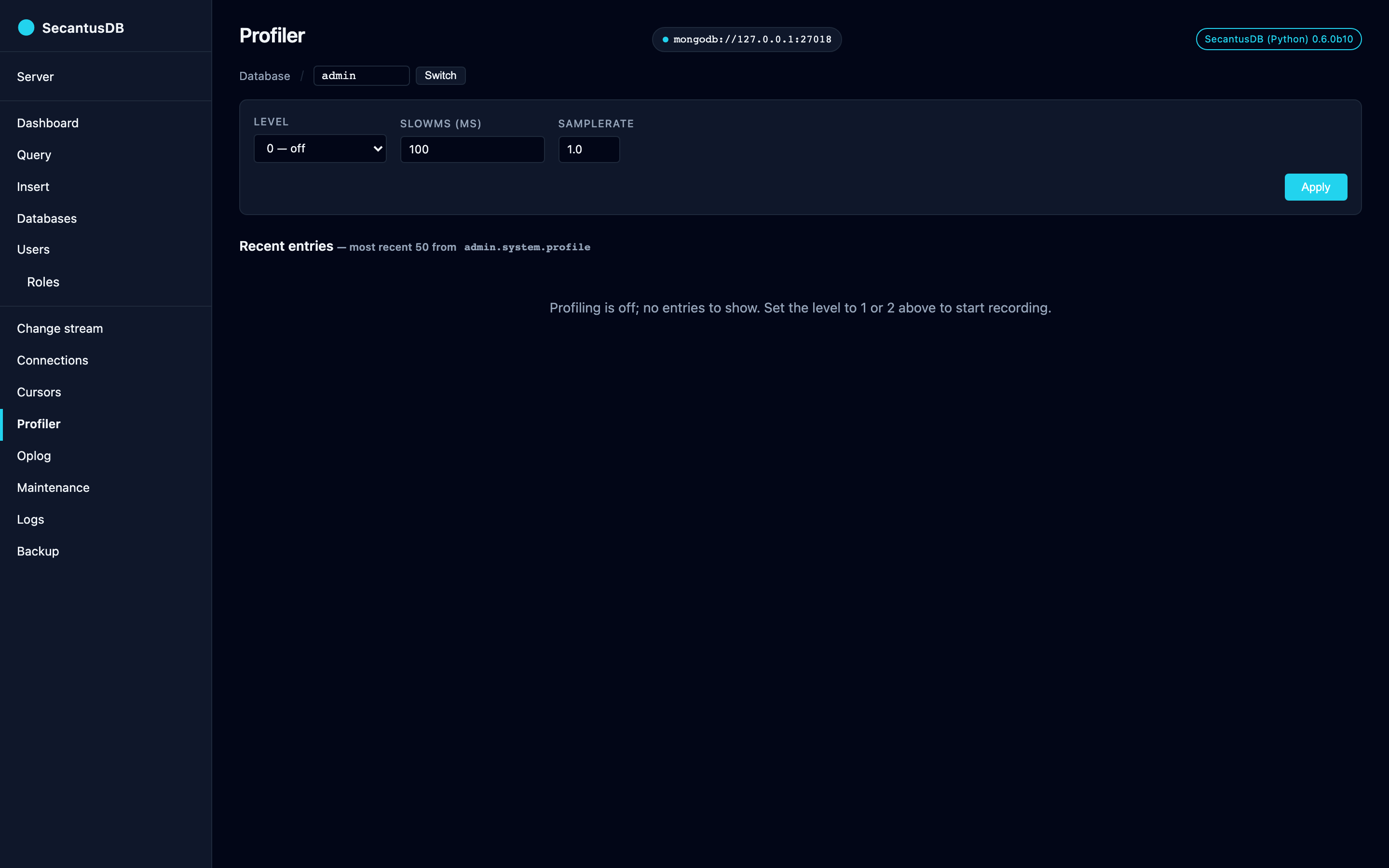
Profiler (/profiler)
Per-database settings form drives the profile command:
Level —
0off,1slow ops only (millis ≥ slowms),2every op.slowms — slow-op threshold in milliseconds.
sampleRate —
0.0–1.0(level 1+ recordssampleRatefraction of qualifying ops).
Below the form, a recent-50 entries table reads
<db>.system.profile. Each row shows op type, namespace, latency
in ms, ok flag, optional user, and the full Extended-JSON profile
entry in a pre block.
The profile collection is auto-created as a 10 MB capped collection
on first profile-write. The dispatch path skips profiling against
system.profile itself (any op, not just inserts), handshake / cursor
continuation, SCRAM rounds, and the profile command — so reads of
the profile collection don’t generate more profile entries.
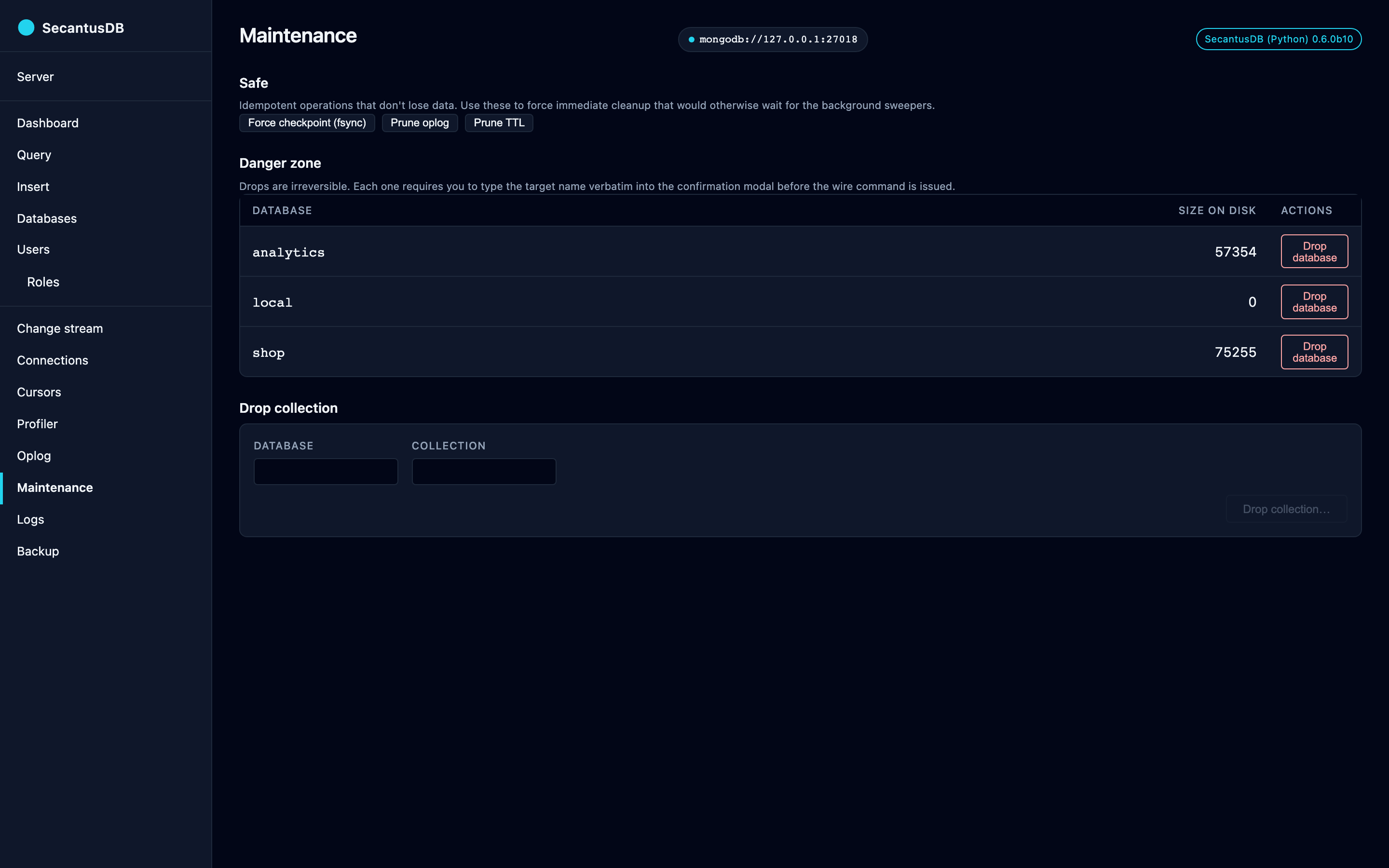
Maintenance (/maintenance)
Five buttons in two zones:
Safe — Force checkpoint (
fsync), Prune oplog (secantusAdmin.pruneOplog), Prune TTL (secantusAdmin.pruneTtl). Each POSTs to its endpoint and re-renders the page with a flash banner.Danger zone — per-database Drop button + a Drop collection form. Both open typed-confirm modals that require the user to type the target name verbatim before the wire command is issued.
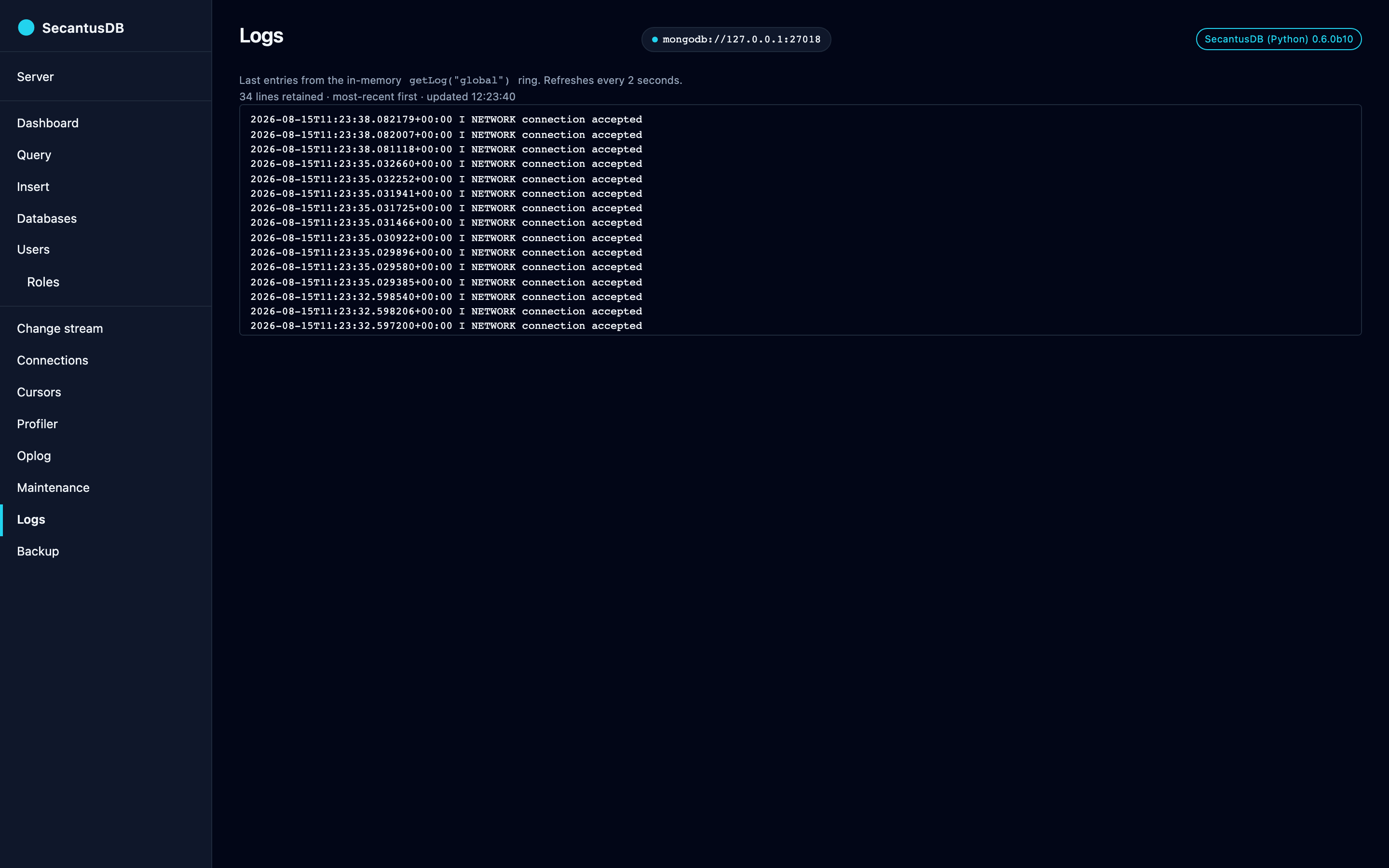
Logs (/logs)
Fetches getLog("global") every 2 seconds via HTMX polling. The
server-side ring buffer (secantus.logbuf.LogBuffer) holds the last
5000 lines.
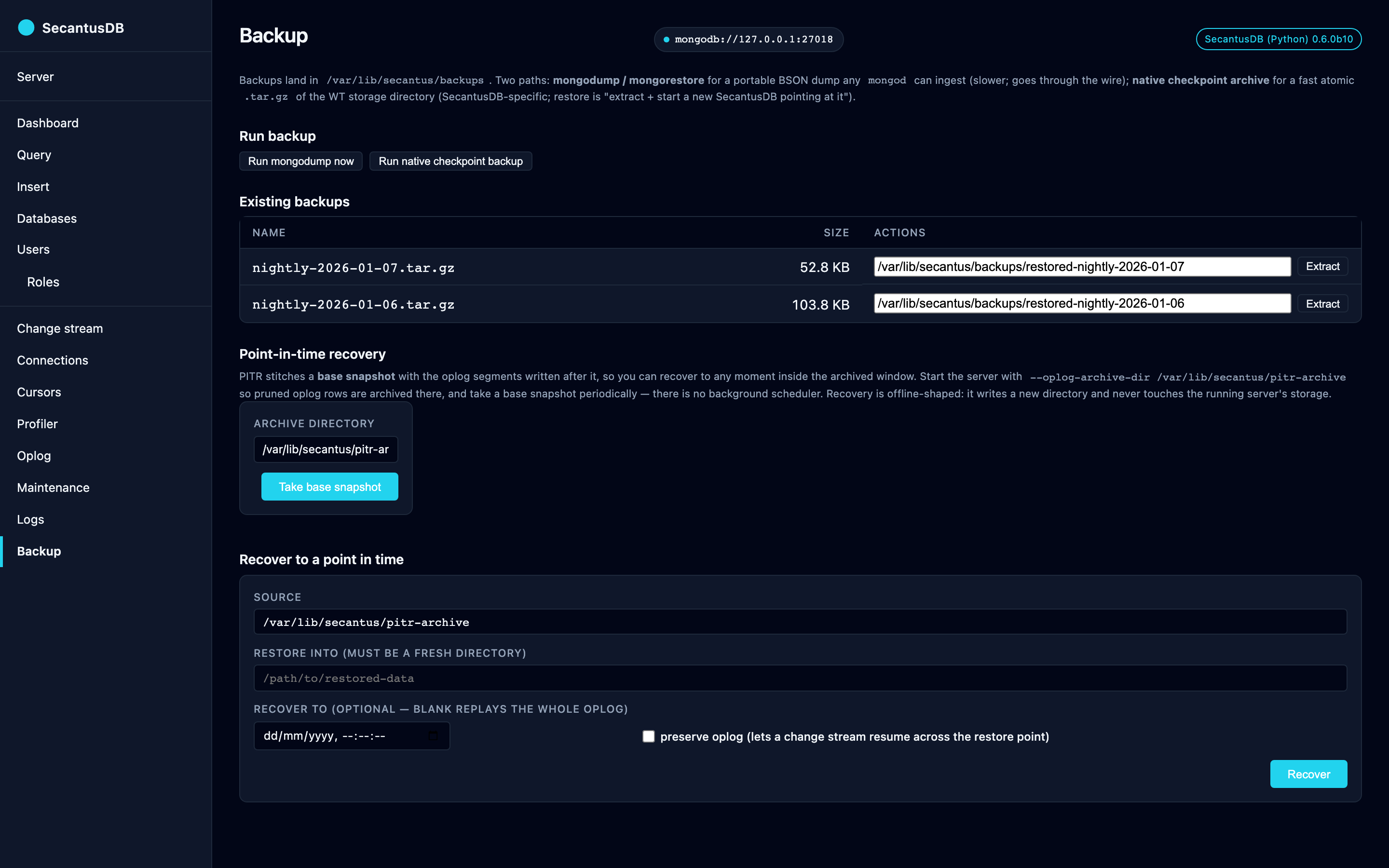
Backup (/backup)
Lists existing backups under ~/.secantus/backups/ (both mongodump
output directories and native .tar.gz archive files) and offers
two backup paths plus a per-row restore action that adapts to the
backup type.
Run mongodump now — shells out to the official
mongodumpbinary. Portable BSON dump that anymongodcan ingest. A preflight check looks formongodump/mongorestoreon PATH and disables this path with an “install mongo-tools” hint when they’re missing.Run native checkpoint backup — issues
secantusAdmin.backupArchiveover the wire. The server forces a WT checkpoint, opens abackup:cursor (so the data files stay read-shareable for the cursor’s lifetime — works cross-platform including Windows), and tars the consistent file set into a single.tar.gzunder the same backup root. Restore is “extractstart a new SecantusDB pointing at the extracted dir” — fast
atomic vs mongodump, but SecantusDB-specific.
Per-row restore picks the right action based on backup type:
Restore (mongodump directories) → runs
mongorestoreagainst the named directory.Extract (native
.tar.gzarchives) → issuessecantusAdmin.restoreArchiveto extract the archive into a server-side target directory shown in the form’s editable text field. The running server’s own storage is not touched — hot in-place restore can’t be done safely over a live WT connection without restructuring how connection threads cache WT sessions, and isn’t how real mongod’s restore tooling works either. After extraction completes, restart SecantusDB with--storage-path <target>to switch to the restored data.
Both restore endpoints guard against directory traversal in their
form values (/ and .. are rejected with an “invalid backup
name” / “invalid target directory” flash).
For offline restore (when the source SecantusDB isn’t running), use the bundled CLI:
secantus-restore-archive --archive PATH.tar.gz --target-dir PATH
Same validation, no wire-protocol round-trip. Pass
--allow-existing to overlay into a non-empty target dir.
Point-in-time recovery
A backup archive captures one instant. PITR stitches a base snapshot together with the oplog segments written after it, so you can recover to any moment inside the archived window rather than only to the moment a backup happened to run.
It needs one piece of server-side setup: start SecantusDB with
--oplog-archive-dir <dir> so the oplog rows that pruning would
otherwise discard are archived into <dir> as segments. The panel’s two
actions then work against that same directory:
Take base snapshot — issues
secantusAdmin.archiveBaseSnapshot, writingbase-<headSeq>.tar.gzinto the archive directory. There is no background scheduler: something has to call this periodically, whether that’s you clicking the button or a cron job. Recovery can only reach back as far as the oldest base snapshot still present.Recover — issues
secantusAdmin.restoreToTimestamp. The source can be a PITR archive directory, a.tar.gzfrom a native checkpoint backup, or a stopped server’s data directory. Leave Recover to blank to replay the whole oplog, or give an ISO-8601 wall-clock time to stop there. Tick preserve oplog to carry the replayed oplog onto the restored directory, which lets a change stream resume across the restore point; the default is a fresh timeline, likemongorestore.
Recovery is offline-shaped, exactly like archive extract: it writes a
new directory and never touches the running server’s storage. The success
message tells you what to start — --storage-path <target> — and the
form rejects .. in either path.
When something goes wrong
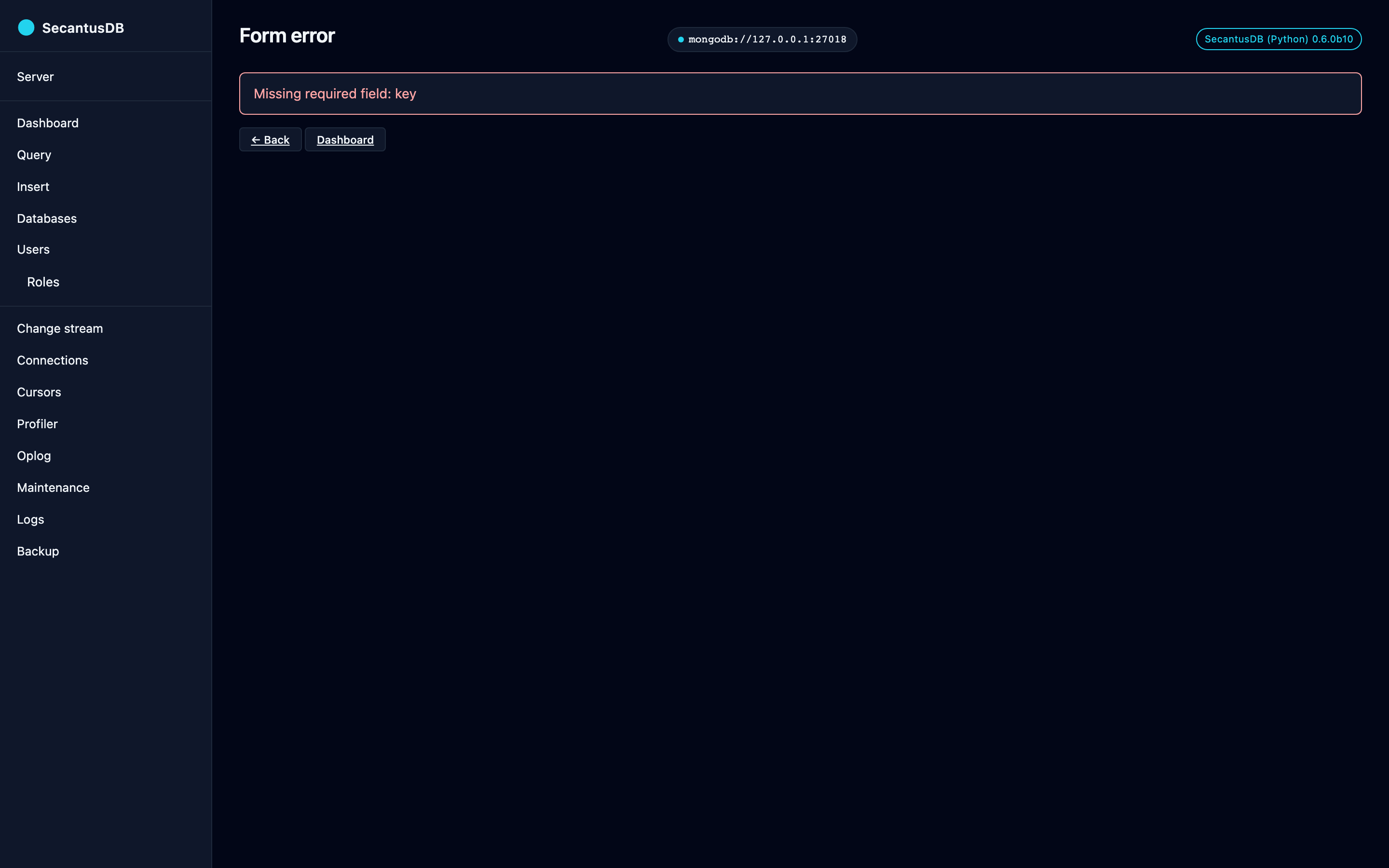
A rejected form doesn’t dump a traceback or a bare JSON error object. FastAPI’s validation failures are caught app-wide and re-rendered as an ordinary page — same sidebar, one-line summary of what was missing, and Back / Dashboard buttons — so a mistyped index spec leaves you somewhere you can navigate out of rather than on a dead JSON page.
Regenerating the screenshots
The images throughout this page are generated by
scripts/admin_screenshots.py, which:
starts a throwaway SecantusDB on
127.0.0.1:27018(a fixed port, so the “connected to” badge reads identically across runs),seeds it with a fictional shop dataset — invented customers,
example.comaddresses, public landmark coordinates — plus indexes of every shape, users, profiler entries and backup archives, so no page is photographed empty,serves the admin app headless and drives all 22 pages with Playwright, filling and submitting forms where a bare
GETwould only show a blank one, andrewrites machine-specific strings (the temp storage path, the home directory, the hostname, the auth token) out of the DOM before each shot, so a committed PNG carries nothing about the machine that made it.
uv sync --extra screenshots
uv run playwright install chromium   # once
uv run python -m invoke admin-screenshots
Useful flags while iterating: --only <slug> for a single page (--list
prints the slugs), --headed to watch the browser work, and
--from-checkout <repo> to render a working tree’s templates and static
assets rather than the installed package’s — which is what you want in a
git worktree that borrows another checkout’s virtualenv.
Two guardrails make a bad regeneration loud rather than silent. The script fails if any page logs a JavaScript error, and it warns if a page was shot showing its “nothing here yet” empty state. Driving all 22 pages in a real browser is the only JS-level exercise this UI gets — the run that introduced these screenshots surfaced four live bugs that way, from a script-ordering mistake that stopped the dashboard’s metrics socket from ever opening to Leaflet markers 404ing on unvendored images.
tests/test_docs_screenshots.py checks that every page in the script has
an image on disk and a reference in this document. It cannot tell a
stale image from a fresh one, so regeneration is a release step — see
the secantusdb-release skill.
Files written to disk
The UI persists three small artifacts in ~/.secantus/:
Path |
Format |
Purpose |
|---|---|---|
|
UTF-8 string |
URL-safe token, mode |
|
SQLite |
Console query history (per-URI ring, 50 entries each) and recent target URIs. Mode |
|
mongodump output |
One directory per |
|
gzipped tar |
One archive per native-checkpoint-backup run. |
Everything else lives in process memory. The token file is the only
thing you need to remove if you want a clean slate (rm ~/.secantus/admin-token); next launch will generate a fresh one.
admin.db holds credentials. The recent-targets table stores each
target URI verbatim, password included — deliberately, because the
“switch to this target” buttons have to be able to reconnect and a
scrubbed URI can’t authenticate. (Console history is scrubbed through
display_uri before it’s written; the target list can’t be.) The file is
therefore created mode 0600 inside a 0700 directory, matching the
token beside it — the directory too, because SQLite’s -wal / -journal
sidecars are created on demand and would otherwise land at the process
umask. Treat the file as a secret: it is one.
Limitations
The gaps worth knowing about before you rely on a page. Full backlog at
tasks/backlog.md.
Hot in-place restore isn’t supported — restore extracts the archive into a target directory the operator then points a new SecantusDB process at. The running server’s storage is never modified. Real mongod restore tooling works the same way (“stop mongod, swap dbpath, start mongod”) so this matches what ops scripts expect. Point-in-time recovery is offline-shaped for the same reason.
No PITR scheduler. Base snapshots are taken only when something asks for one. A recovery window exists only for the period covered by archived oplog segments after a base snapshot that still exists.
The SQL / PostgreSQL-wire server has no admin UI, and this is a deliberate scoping decision rather than an oversight: every page here is a pymongo client. Pointing
--uriat apostgresql://target is rejected at startup with an explanation rather than an opaque pymongo parse error.Collection browsing needs a sortable scalar
_id. Pagination is skip-ID based, and round-tripsObjectId,int,str,Decimal128,UUIDandBinary. A document- or array-valued_idcan’t be encoded into a page cursor. The filter box also can’t contain_idwhile paginating, since a user_idclause collides with the cursor’s own range clause.Some server features are reachable only through
/query’srunCommandbox —collMod,createCollectionand validators,renameCollection, and custom-role creation all ship server-side but have no dedicated panel yet.Profiler entries populate the mongod-faithful subset (
ts,op,ns,command,millis,ok,client,user,errMsg/errCode). TheplanSummary/keysExamined/docsExamined/nreturnedfields would need post-handler stats plumbing and are not included.
Programmatic use
For tests or embedded scenarios, construct the FastAPI app directly
via secantus.admin.create_app:
from httpx import ASGITransport, AsyncClient
from secantus import SecantusDBServer
from secantus.admin import create_app

with SecantusDBServer(port=0, storage_path=":memory:") as srv:
    app = create_app(
        mongo_uri=srv.uri,
        token="testtoken",
        history_path="/tmp/history.db",
        backup_root="/tmp/backups",
    )
    async with AsyncClient(
        transport=ASGITransport(app=app),
        base_url="http://test",
    ) as c:
        r = await c.get("/healthz")
        assert r.status_code == 200
create_app accepts history_path and backup_root overrides so
tests don’t pollute ~/.secantus/.